Every Plot. Every Flat.

The moment inventory moves, everyone sees it — no PDF, no Excel, no WhatsApp.

Projects
16
Units
2,378
Users
66

One connected platform

Three groups of capability, one inventory underneath them.

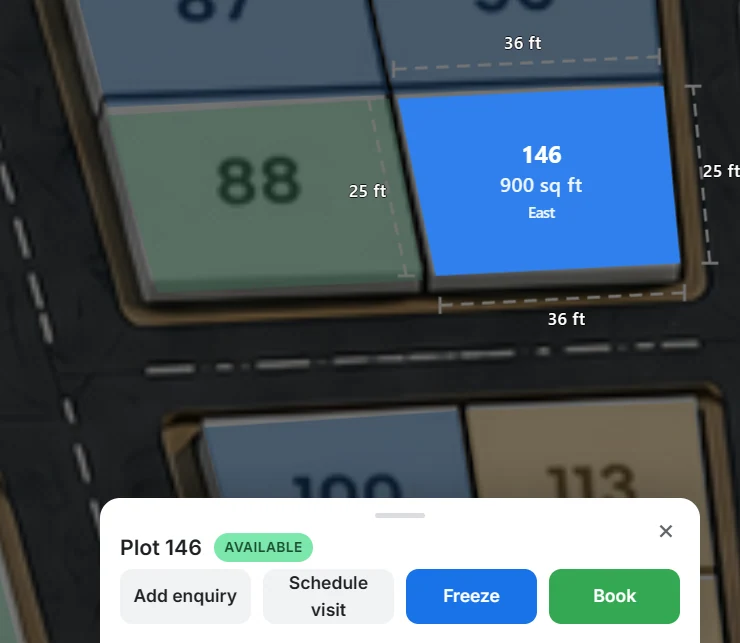
Layouts360 plot detail: plot 146, 900 sq ft, east facing, with freeze and book actions

Visualize

The project as a live layout, not a file.

  • Interactive project layouts digitised from your PDF, CAD, Excel or Illustrator files
  • Plot-level information: area, facing, side dimensions, survey number, rate
  • Project presentation with photos, key map and nearby places
  • Buyer-facing project links that show only what you choose to show
Visualization
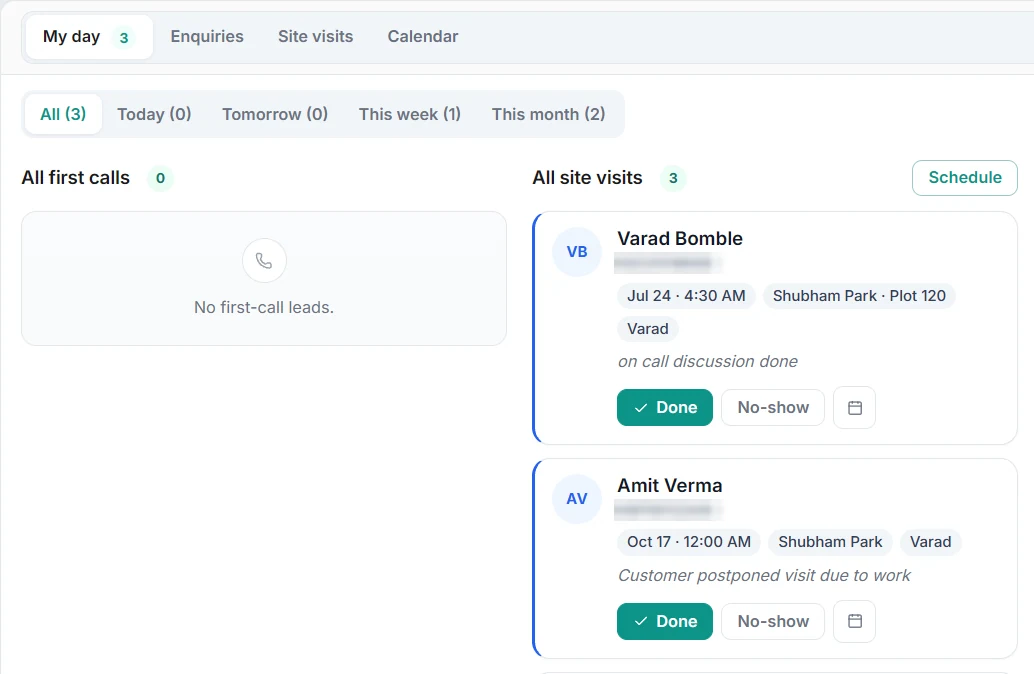
Layouts360 CRM: My day view with first calls, site visits and follow-ups

Operate

Every sales action lands on the unit.

  • Inventory and availability across projects and phases
  • Enquiries, site visits and follow-ups attached to the plot
  • Freeze, book and record payments without double allotment
  • Channel partner logins, booking requests and commission tracking
Sales operations
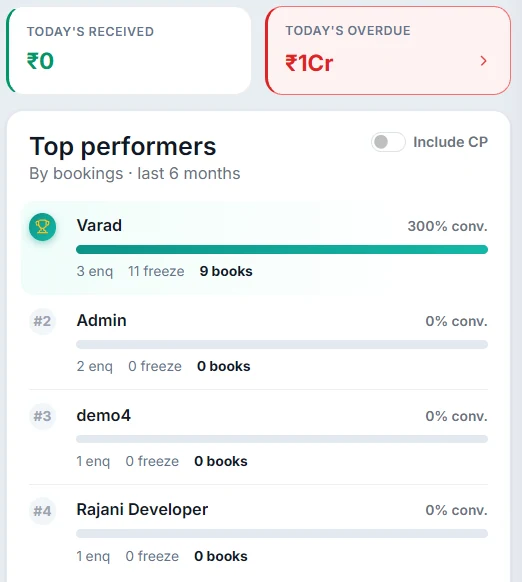
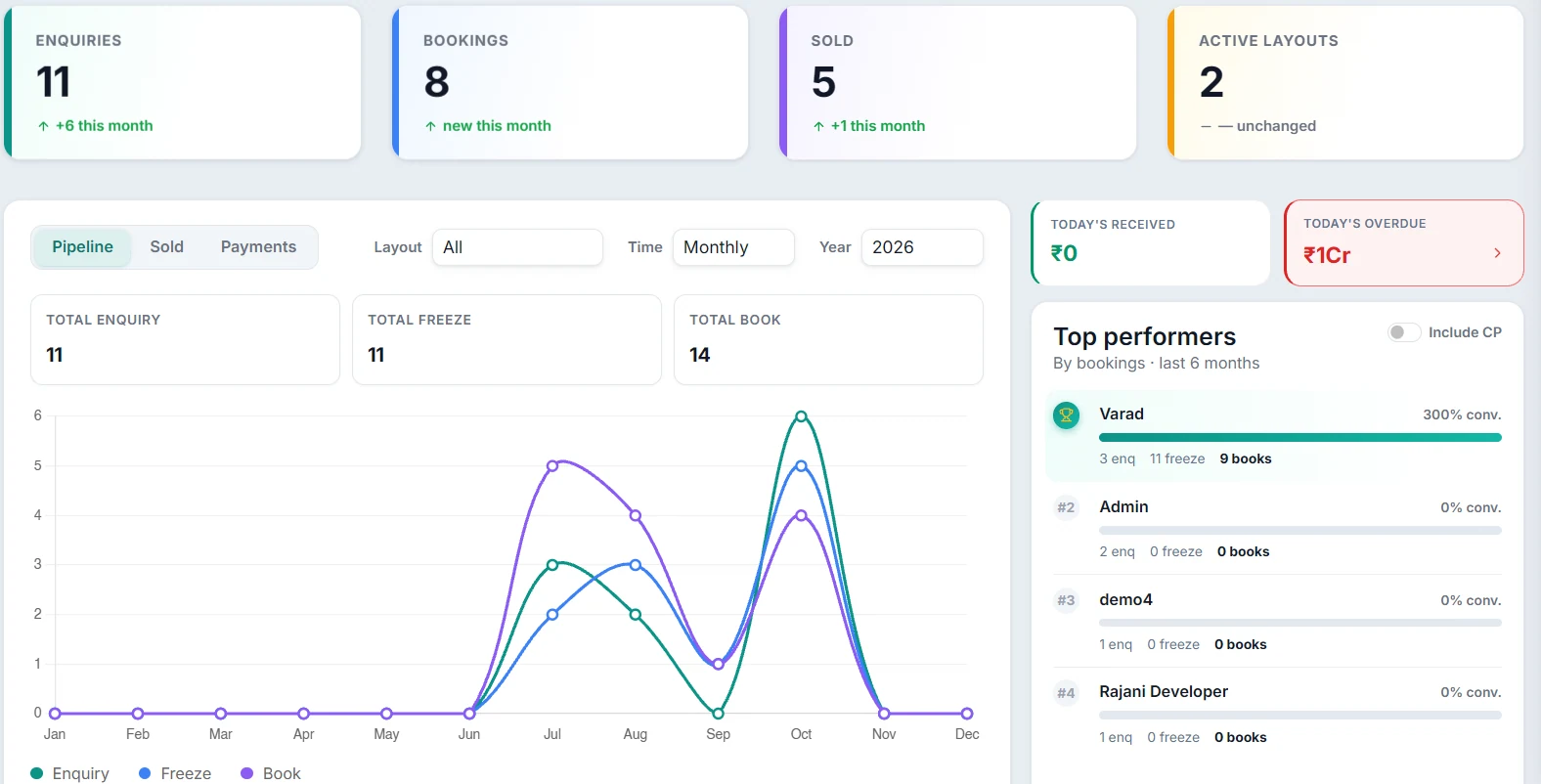
Layouts360 dashboard: today's received and top performers

Control

Leadership sees the business on live data.

  • Collections, dues and a ledger per layout
  • Dashboard with enquiries, bookings, sold and today's receivables, with exports
  • Team roles, permissions, GPS attendance and an activity trail
  • Several projects in one account, one source of truth
Bookings and collections

The product, as your team uses it

Five screens from the Layouts360 demo account. The same plot moves from layout to collections without leaving the system.

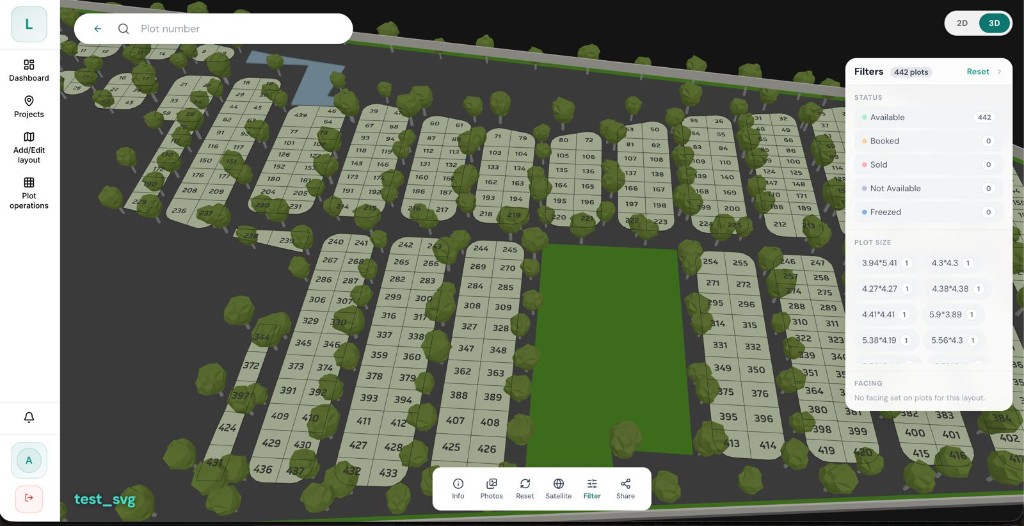
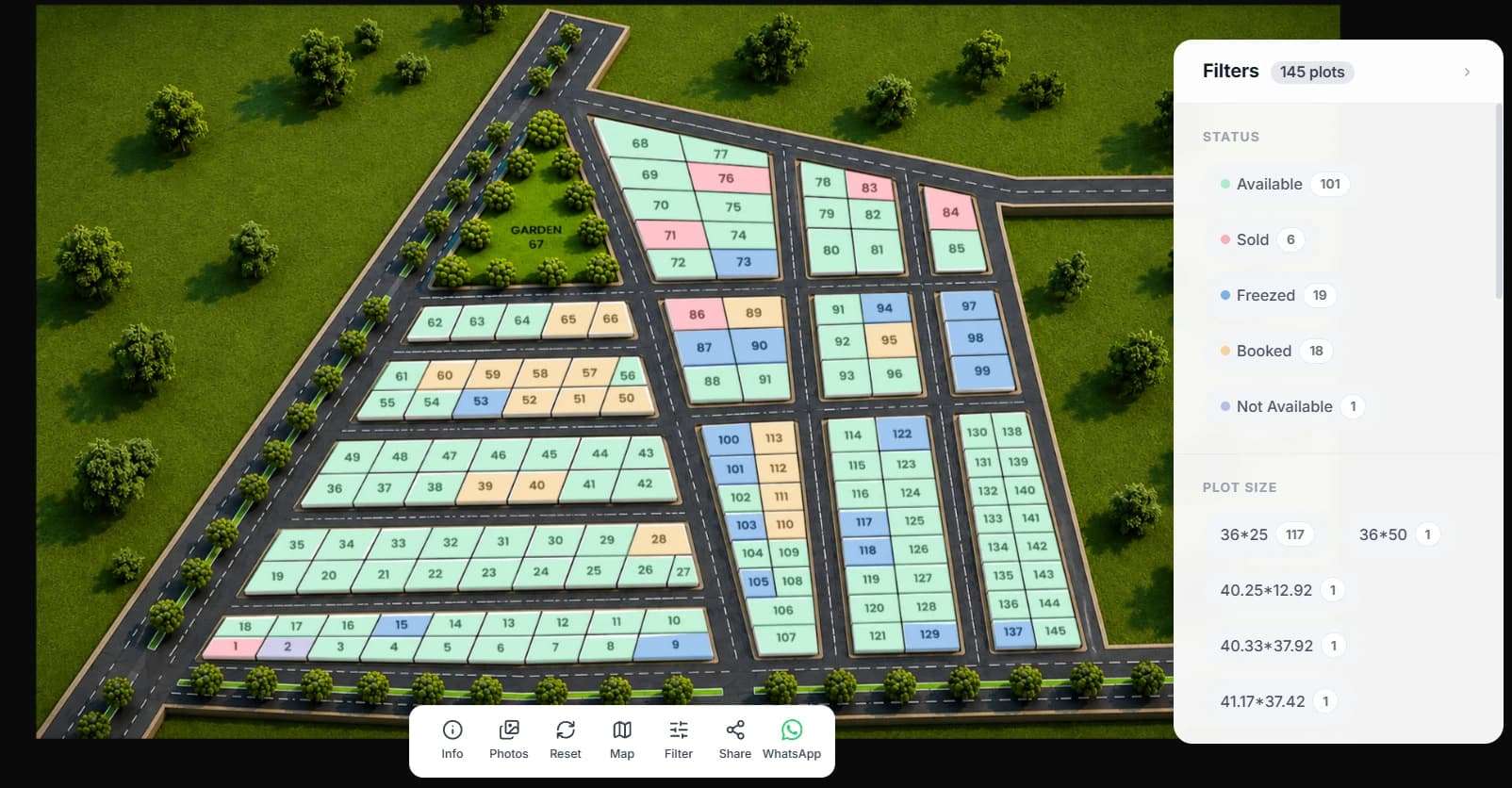
Every plot carries its status in colour. Filters narrow by status, plot size and facing. Hundreds of plots, one screen, current for everyone.

Layouts360 3D layout view with status and plot size filters and the map toolbar

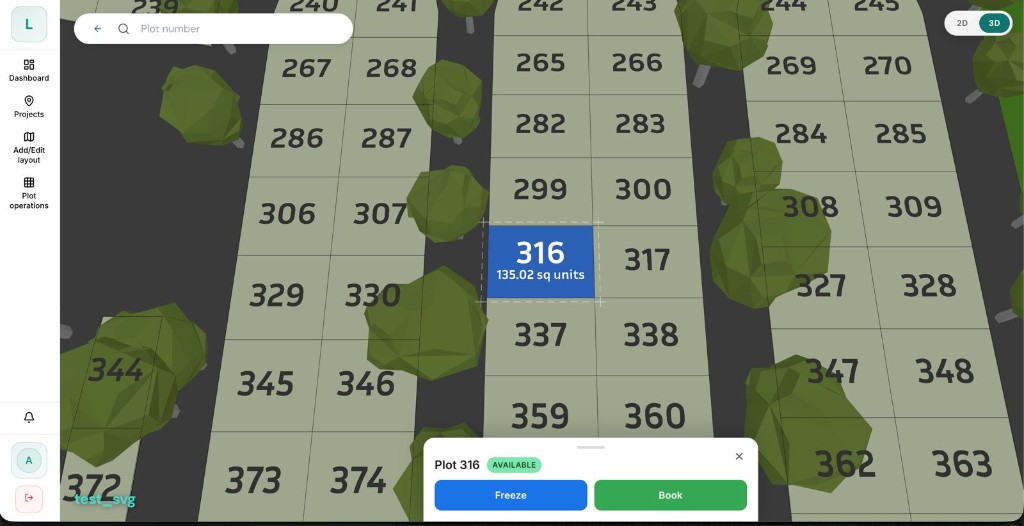
Tap a plot to see its area and status. From here the team freezes it for a buyer or books it straight away.

Layouts360 plot 316 selected on the 3D layout with Freeze and Book actions

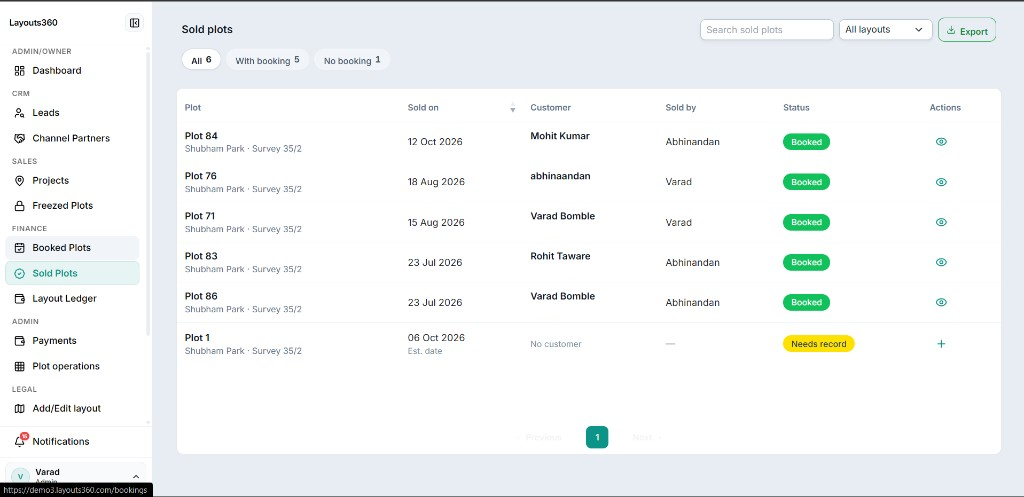
Sold plots list the customer, who closed the deal and whether a booking record is attached. Gaps show up before they slip.

Layouts360 sold plots list with customer, sold by and booked status

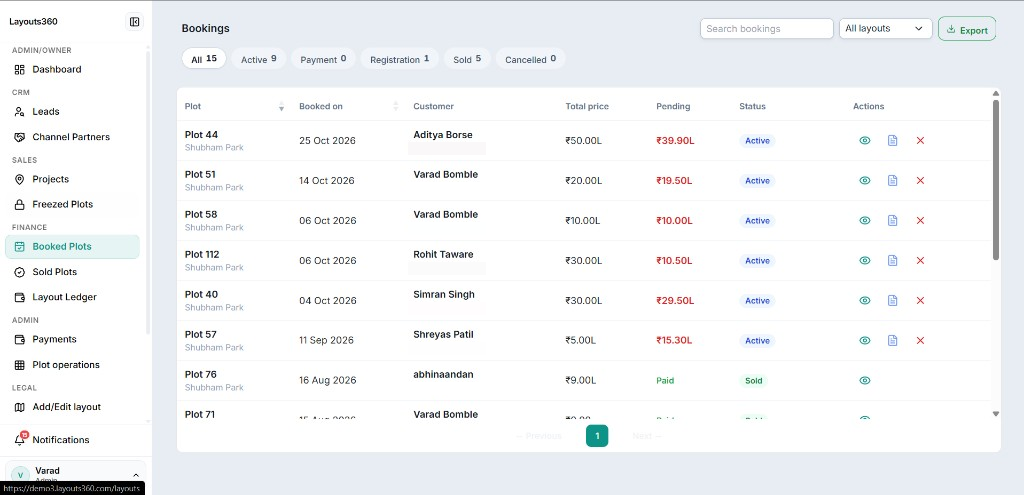
Bookings carry the customer, the total price and the pending amount, grouped by stage: active, payment, registration, sold.

Layouts360 bookings table with customer, total price, pending amount and status

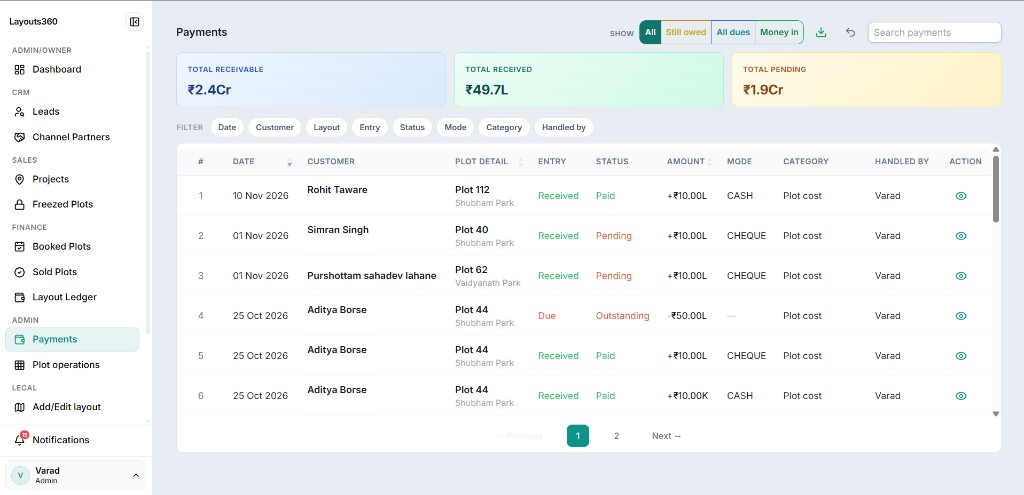
Receivable, received and pending at a glance. Every entry is a payment or a due on a plot, with mode, category and who handled it.

Layouts360 payments view with total receivable, received and pending, and a ledger of entries

Screens captured from the Layouts360 demo account. Sample names and numbers.

One platform. Your entire inventory.

Layouts360 · Layout view
Layout view of a 145 plot project with colour-coded statuses, a filter panel with status and plot size counts, and a toolbar for info, photos, reset, map, filter, share and WhatsApp

Interactive Plot Layouts

  • Click a plot for details, availability, status
  • Move units between available, hold, booked, sold
Layouts360 · Projects
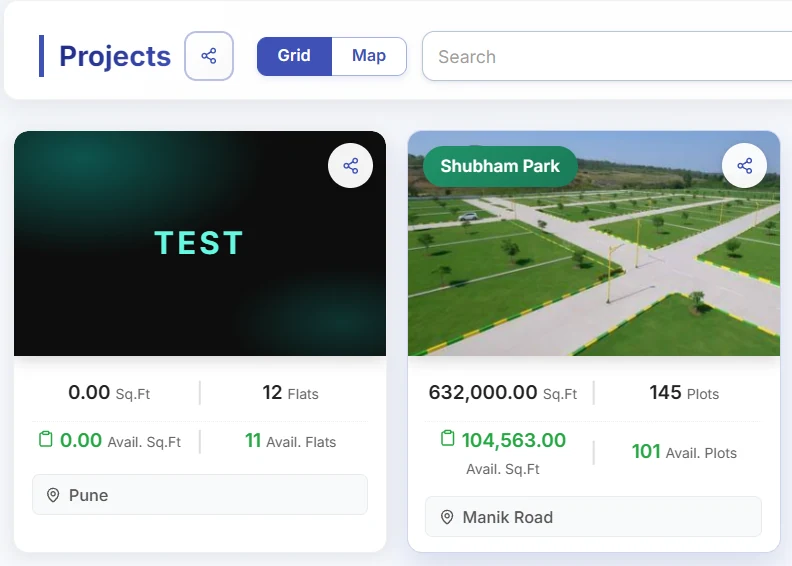
Projects view listing an apartment project and the Shubham Park plotted layout with total and available square feet and plots

Flat & Apartment Inventory

  • Flat number, floor, configuration, area, price
  • Live view of what's actually available
Layouts360 · Dashboard
Dashboard with enquiries, bookings, sold and active layouts, a monthly pipeline chart for enquiry, freeze and book, today's received and overdue amounts and top performers

Live Dashboard

  • Total, Available, Hold, Booked, Sold
  • Filter by project, block, building, floor, type, price

One unit. One status. Zero double allotment.

No reconciliation meetings. No launch-weekend disputes.

Find. Show. Hold. Book. Track.

  1. Findthe exact plot or flat
  2. Showlocation or unit, visually
  3. Holdreserve while the customer decides
  4. Bookrecord the booking
  5. Trackfollow it to close

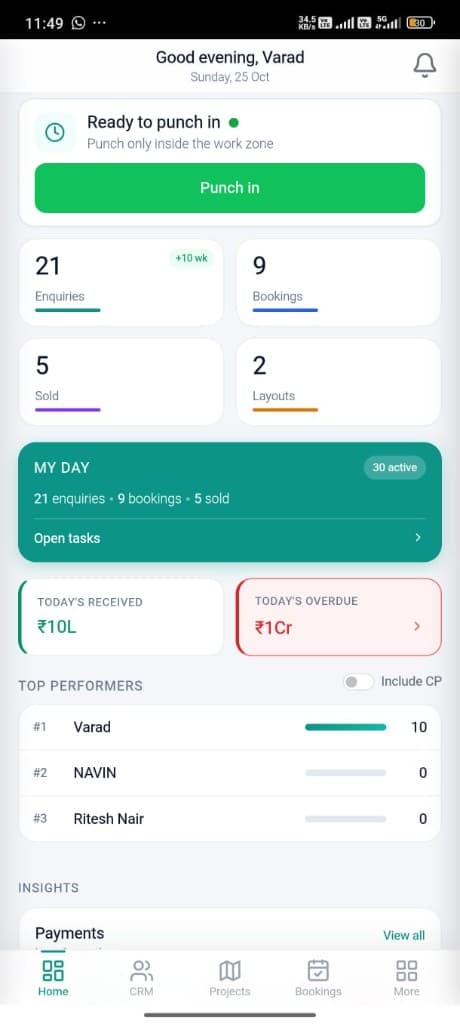
Sales sees the same numbers on the phone — enquiries, bookings, sold, money in. Not a PDF from this morning.

Layouts360 mobile app — punch-in, enquiries, bookings, sold, and collections on one screen

Give Channel Partners & Brokers a login, not a PDF blast.

Partners see live availability and submit booking requests tied to real units — not a group chat. Fewer disputes over who sourced which lead.

Everything Your Team Needs

Full feature details
  • Inventory Management

    Every plot and unit, one system

  • Interactive Visualization

    Present inventory, not spreadsheets

  • CRM & Sales Workflow

    Customers, salespeople, units — linked

  • Bulk Management

    Reprice or restatus hundreds of units in one action

  • Reports & Dashboard

    Sold %, live, without opening a file

  • Customer Sharing

    Send a link showing only what that buyer should see

  • Team Management

    Control who touches what

  • Excel Import

    Bring your sheet in — map columns, done

Built for real estate development

The same platform, configured for how each kind of project sells.

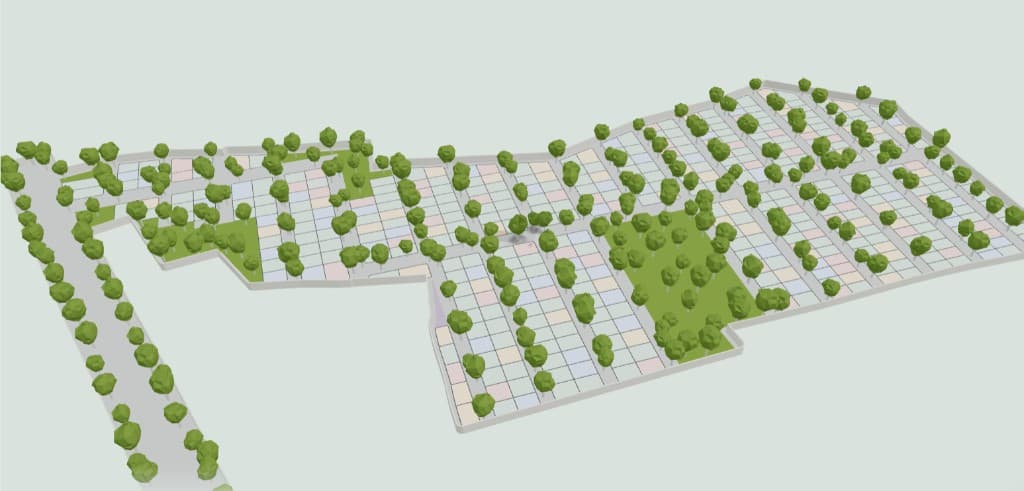
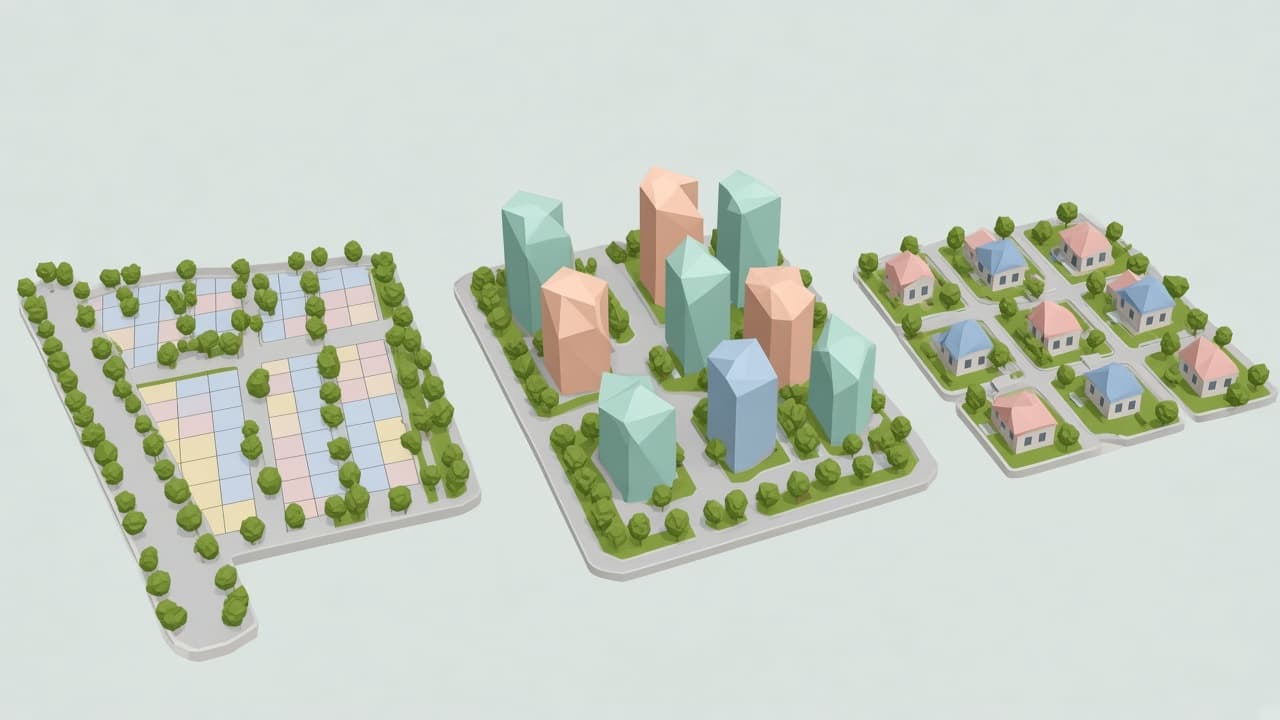
Low-poly isometric view of a plotted development with color-coded lots and trees

Plotted developments

Plot numbers, survey numbers, sizes and facing on a live layout. Freeze, book and collect from the plot.

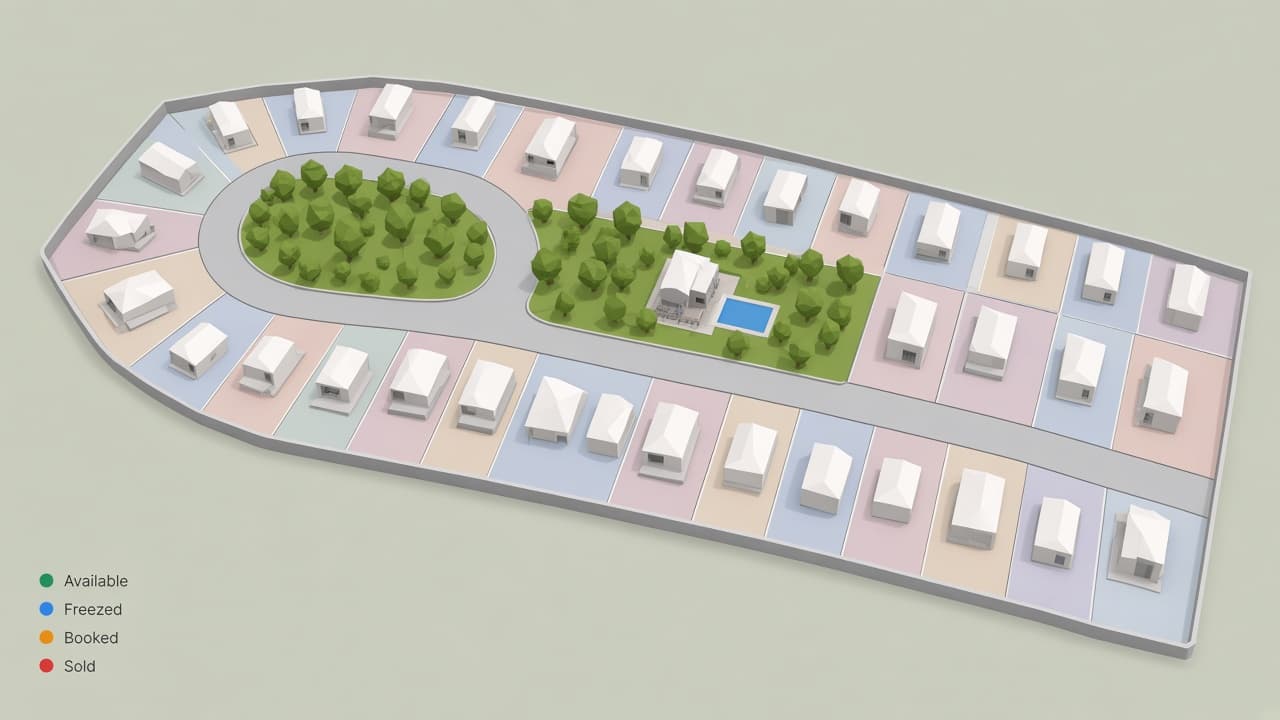
Low-poly township map with villas on plots, central park, clubhouse amenities, and status legend

Township projects

Phased releases, large partner networks and launch days without verbal holds or PDF blasts.

Real workflows

Plotted layout, 120 plots

Version-6 spreadsheet, two double-booking incidents a quarter. One live map ended the reconciliation meetings.

Multi-phase township

200+ brokers, verbal holds on paper at launch. Timed blocking, one map. No reconciliation after the weekend.

Broker network, 40+ partners

Hourly WhatsApp PDF blasts, constant disputes. Partner logins on live inventory cut the arguments.

Questions developers ask first

Short answers here. The full FAQ covers setup, access, data and support in more detail.

Read the full FAQ →
What is Layouts360?

A real estate operating system for developers. It combines interactive layouts, plot and apartment inventory, enquiries and site visits, freezing and booking, payments and collections, channel partners and team tools on one platform.

Who is it designed for?

Plot and layout developers, township developers, builders selling plots alongside apartment towers, and companies running several projects. Sales teams and channel partner networks use it daily.

How does project setup and migration work?

You share your layout files and your current sheet. The team digitises the layout, configures statuses, roles and partners, and imports existing plots, customers and bookings. The timeline is scoped after reviewing your files.

How do sales teams and brokers work in it?

Staff get roles with the permissions you set, for example viewing and freezing plots without deleting. Channel partners get their own logins, see live availability and submit booking requests tied to specific plots.

How is pricing and onboarding structured?

Pricing depends on inventory size, property type and the number of users. Digitisation is scoped per layout. Book a demo and the team maps a plan to your projects.

Who can see our data?

Access is controlled by roles and permissions you manage. Buyer links show only what you choose to publish, and partner logins show availability without exposing your master sheet.

What support do we get?

Onboarding by the Layouts360 team and WhatsApp support afterwards. The product is built for non-technical staff and works on basic 4G at the site.

PRE-SALE.POST-SALE.

One Complete System for Real Estate Developers.

Book a Demo

Ask AI

Still wondering if Layouts360 is for you?

Ask a neutral AI. It weighs Layouts360 against Excel, WhatsApp updates, and generic CRMs — and gives you a straight answer in seconds.